
InstantOn (via OAuth)
Use Hint's OAuth flow to let practices enable your integration without sharing API keys.
Integrations can be activated manually (authorization code copy/paste) or automatically through InstantOn. Manual credential swaps slow down onboarding, so InstantOn is strongly recommended.
Flow at a glance
flowchart LR
    A[Practice admin<br/>Hint UI] -->|Enable integration| B[Hint redirects<br/>to partner]
    B -->|Authorization code| PartnerApp[Partner activation page]
    PartnerApp -->|POST /api/oauth/tokens| HintOAuth[Hint OAuth service]
    HintOAuth -->|access_token + integration_id| PartnerApp
    PartnerApp -->|Store per-practice creds| PartnerBackend[Partner backend]
    PartnerBackend -->|Call /api/provider/*| HintProvider[Hint Provider API]
    HintProvider -->|Send events| PartnerWebhook[Partner webhook receiver]
    classDef node fill:#ffffff,stroke:#0284c7,stroke-width:1px,color:#0f172a,font-size:12px
    class A,B,PartnerApp,HintOAuth,PartnerBackend,HintProvider,PartnerWebhook node
Step-by-step implementation
1. Practice initiates the connection
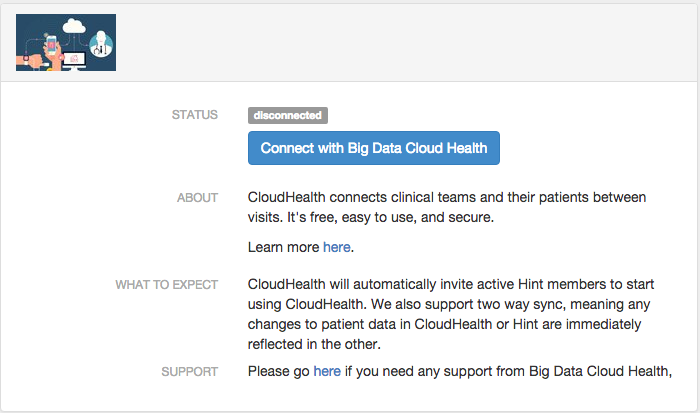
A practice admin opens your tile inside Hint, reviews the enablement instructions you provided, and clicks Integrate.
2. Hint redirects with an authorization code
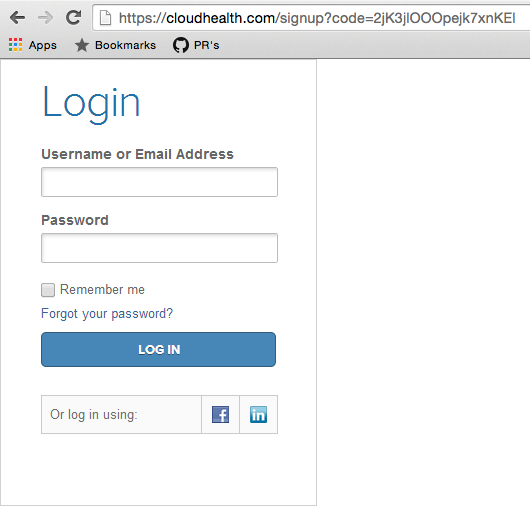
Hint redirects the admin to the redirect_url you registered during onboarding and appends an authorization code. For example, if your redirect URL is https://cloudhealth.com/signup?code=, the user lands on https://cloudhealth.com/signup?code=2jK3jlOOOpejk7xnKEl.
Validate the redirect targetWe append the authorization code immediately to your URL. Build defensively—validate the host, enforce HTTPS, and make sure you only process codes that map to valid sessions inside your app.
3. Exchange the code for practice credentials
After the practice user signs in (or creates an account), call POST /api/oauth/tokens with the authorization code. The response includes the integration, practice, and a practice-scoped access token.
{
  "id": "int-j21vwWTG0EiP",
  "status": "connected",
  "token_type": "bearer",
  "refresh_token": null,
  "expires_in": null,
  "practice": {
    "id": "pra-TeDmP0gqGJLZ",
    "name": "Joe's Practice"
  },
  "access_token": "IpT6ucPNhRhDEeZcBNVKnoSSBNS1i6QplR4"
}
Store the access token securely and associate it with the practice inside your system. All /api/provider/* calls for that practice should now use the returned token.
4. Keep the experience healthy
- Audit and retry webhook deliveries using the webhook toolbox.
- Rotate credentials by re-running InstantOn any time the practice wants to reconnect.
- Surface connectivity health (integration record status,
integration_error_message, etc.) in your UI so mutual customers know when to self-heal issues.
Updated 19 days ago